
Sell the siding job at the kitchen table.
Your rep measures the house, builds the job with the homeowners, shows the new siding on their own home, and walks through the price and the ways to pay. Then they sign before your rep leaves.
$80M+ sold in the homeNearly 15 years of in-home sales
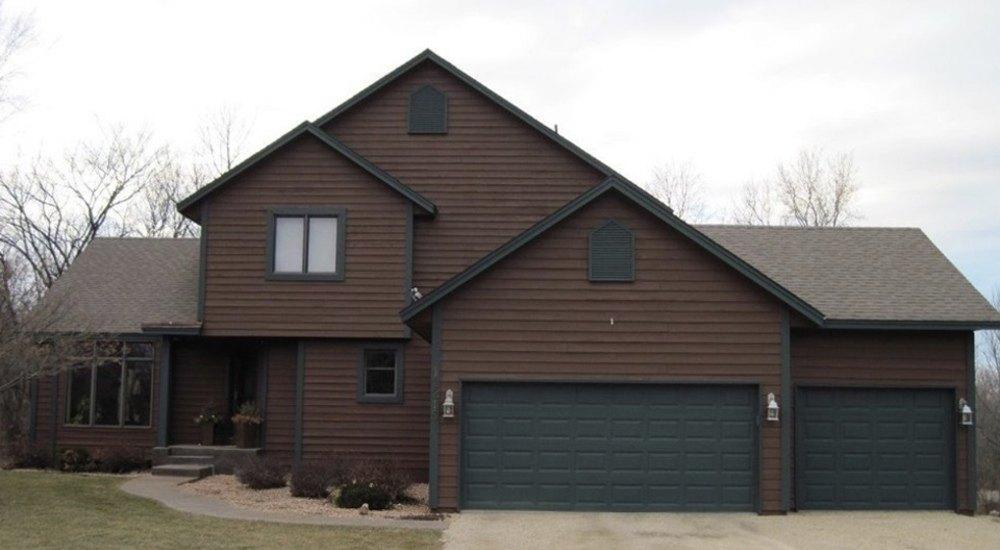
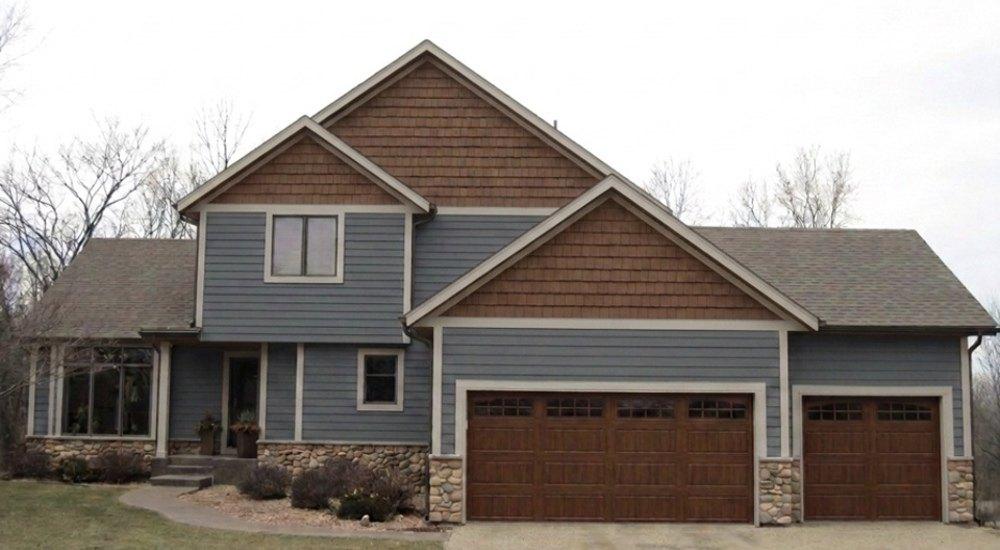
Built with the homeowners, then shown on their own home.
The whole appointment, in one app
- Step 1MeasureWalls, stories, openings, gables, and tear-off, captured once.
- Step 2BuildManufacturer lines, profiles, colors, trim, soffit, fascia, and gutters, priced from your catalog.
- Step 3VisualizeA photo of their house, shown in the product and color they just picked.
- Step 4InvestmentRetail value, your current promotion, then cash, deposit, or a monthly payment.
- Step 5AgreementProposal and agreement signed on screen, with nothing for the office to re-key.
Why it closes more on the first visit
No more guessing from a swatch.
Homeowners choose a five-figure color from their own house, not a 2-inch chip.
The price comes out in the right order.
Retail, then the promotion, then the ways to pay, so reps stop leading with the discount.
Signed with certainty, not pressure.
Both homeowners saw it, chose it, and understood it before they signed.
More on this: why reps lead with the discount and what one-party appointments really cost.
What's in the siding app
- Wall measurements, stories, openings, and gables
- Tear-off, housewrap, and insulation
- Trim, soffit, fascia, gutters, and accessories
- Manufacturer lines, profiles, colors, and warranties
- Window trim, door trim, corner trim, and frieze board
- Lineal, square, each, and allowance pricing
Also for decks and windows. Run one trade or any combination.
Siding questions
Can it show new siding on the homeowner's house?
Yes. Your rep takes a photo of the house and shows it in the product and color the homeowners just picked.
Does it use my products and prices?
Yes. Setup loads your catalog, price book, promotions, and financing, so every job is priced your way.
Can I add decks or windows later?
Yes. Each trade is its own module. Run one or any combination.
How is it priced?
A one-time setup plus a monthly subscription based on the modules you run and the size of your team, quoted on a demo call. How pricing works
Can I try it first?
Yes. The free demo is a private copy of the siding app with sample jobs. Try RenderBid for Free